


Stremio
3.81.93K Reviews
App Specs
- Version
- Varies with Device
- Updated On
- License
- Free
- Downloads
- 10,000,000+
- Developer
- Stremio
- Categories
- Entertainment
- Platform
- Android, iOS
Screenshots

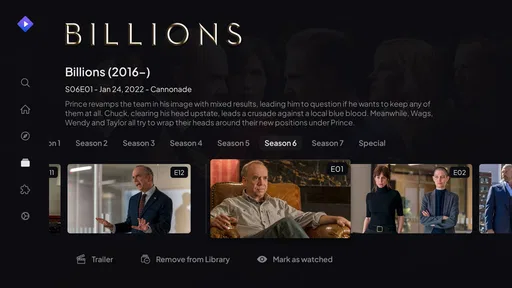
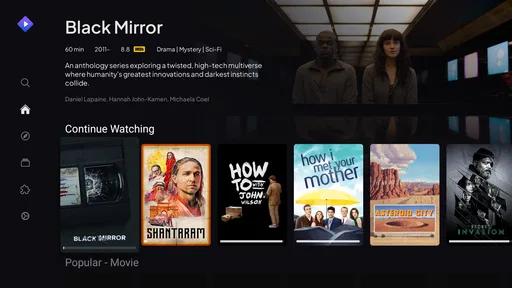
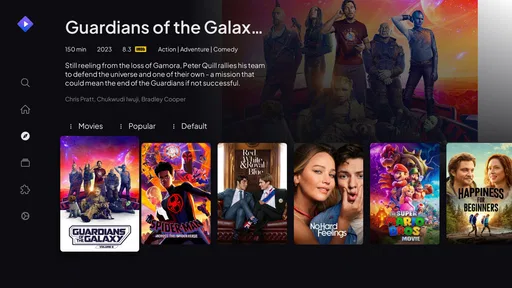
 Analysis by AppCompare
Before I judge what this app is worth, I’d separate the price of the app from the cost of anything you might use through it. Stremio is free to download, which makes trying its interface a low-commitment decision. That does not mean every film, show, channel, or source you encounter is free: availability and any costs depend on the service or source involved. I would not treat the app itself as a replacement for paid subscriptions or assume that installing it unlocks every title without charge.
Free to install, but not a promise of free viewing
That distinction matters more here than it does with a single-service streaming app. Stremio is made by Stremio and is listed in the entertainment category; its role is to bring viewing options together, while the sources behind those options can differ. I’d install it to organize discovery and access, not as a way to avoid paying for services I already choose to use. If your main question is whether the app costs money to download, it is free. If you mean whether every item you find can be watched at no cost, the answer depends on the source.
The app has a 3.9 average from around 77,000 ratings, and it has passed 10 million installs. Those figures suggest that plenty of people have tried it, but they aren’t a guarantee that it will fit your particular setup. It is rated for Teen audiences, so I’d still use ordinary judgment about what younger viewers can find through the sources they use.
What Stremio is worth in everyday use
If you're on the hunt for an app that brings all your streaming needs into one place, I’ve got just the thing for you—Stremio. This app is like that all-you-can-eat buffet of entertainment, where you can dive into a sea of movies, TV shows, and more without ever leaving your couch. I gave it a spin, and here’s my take on it.
Getting Started with Stremio
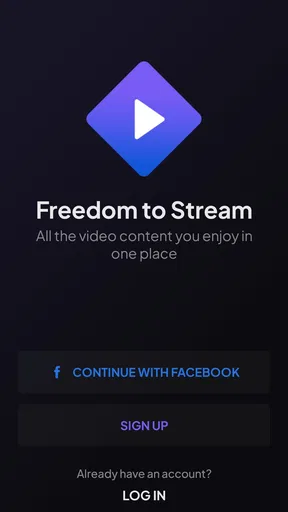
First things first, setting up Stremio is as easy as pie. After downloading the app, which is available for both Android and iOS, I created an account. The interface is clean and intuitive, guiding me through the setup without a hitch. It’s like the app holds your hand and walks you through the door of endless entertainment. Just log in, and you’re ready to roll.
Navigation and Interface
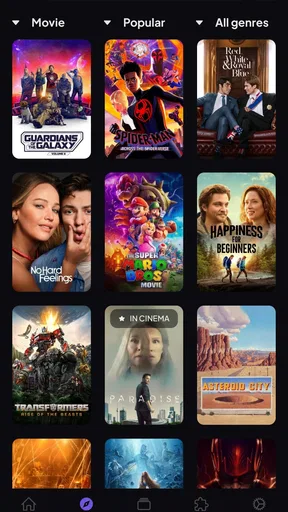
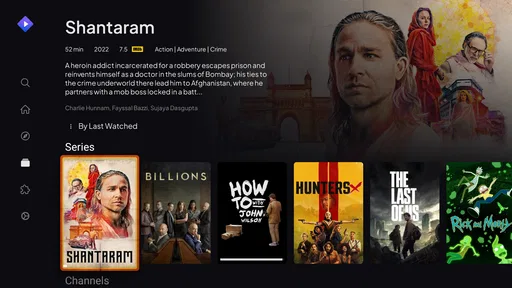
Once inside, the navigation is a breeze. The homepage is neatly organized, with categories like Movies, Series, and Channels. If you're familiar with streaming apps, you'll find the layout pleasantly familiar and straightforward. The search function is incredibly responsive, and finding what you’re in the mood for is as simple as typing a few letters. It’s like having a personal assistant that just knows what you want.
In practical terms, I find the strongest case for this kind of layout is not that it makes every service disappear, but that it gives me a place to start before I choose where to watch. On an evening when I have a specific film in mind, I can search once and then consider the sources presented rather than opening several separate apps just to check availability. That is a modest convenience, but it can save the irritating first few minutes of a movie night.
Worth Reading Before You Choose

Flipboard Shows What News Apps Must Do Beyond the Feed

Switching to Android Auto Means Rethinking Your Driving Routine

Google Calendar Makes a Crowded Week Easier to Manage

Ludo King Makes the Most of the Minutes Between Plans

Baby Panda World Brings Quick Play to Modern Phones, but Its Game Library Feels Busy

ESPN’s Live Game View Makes Following Close Games Easier
Content Galore
Now, let’s talk about content. Stremio shines with its extensive library. Whether you’re a fan of the latest blockbusters or looking for that obscure indie flick, Stremio has got you covered. The app pulls content from a variety of sources, making it a one-stop-shop for all your viewing pleasures. And the best part? It’s all in one place, meaning no more jumping from app to app trying to find something to watch.
That central view is most useful when your household watches across different services or when you remember a title but not which app carries it. I’d use search as a discovery step, then check the source before settling in. A listing in an organizer is not the same thing as a guarantee that a particular stream will be available, work smoothly, or be included in a subscription you already pay for. Keeping that distinction in mind helps prevent the app from promising more than it can deliver in a given moment.
Not only does it cover movies and TV shows, but it also includes live channels. This feature is perfect for those who love to keep up with current events or sports. I found myself glued to a live football match, right from the comfort of my living room. It’s like having cable, but without the hefty bill.
For a realistic routine, imagine deciding after dinner to catch a match while someone else in the house wants a series. I’d use the channels area to look for the live option and the series categories to keep the second search separate, rather than assuming that every channel or programme will be available from the same source. This makes the app useful as a shared starting point, though people who need a dependable, fully specified live-TV package may be better served by a dedicated television service.
Customization and Add-ons
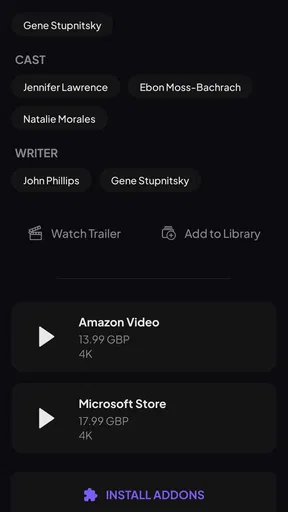
One of the standout features of Stremio is its add-on capability. You can customize your streaming experience by adding different sources. Whether you want to pull content from YouTube, Netflix, or even some niche streaming services, Stremio allows you to tailor it to your liking. It’s like building your dream streaming service, piece by piece.
The add-ons are easy to install and manage. With a few taps, I had access to a range of new content sources. It’s a bit like a Swiss Army knife for streaming enthusiasts.
The trade-off is that customization asks for a little more attention than a single subscription app. My practical tip is to add sources with a purpose instead of installing everything that sounds interesting. If you mainly want to locate films, keep your setup focused on that job; if you care about channels or a particular service, add only the sources relevant to that routine. A smaller, deliberate selection is easier to understand when a result appears, and it makes troubleshooting less confusing if one source does not behave as expected.
I’d also treat add-ons as connectors rather than as a promise that a service’s full catalogue will become playable inside Stremio. They can help shape what appears in your experience, but the actual viewing path still depends on the source. That is why I would check which service is attached to a result before choosing it, especially if I’m trying to avoid signing up for something new or paying twice for access I already have elsewhere.
User Experience
Overall, using Stremio is a delight. The app is stable, with smooth playback and minimal buffering. Even on my less-than-stellar Wi-Fi, the streaming quality held up. It feels like the app is designed to work with you, rather than against you. I did notice that some content required a bit of troubleshooting to access, but it was nothing a quick Google search couldn’t fix.
That troubleshooting is worth factoring into the value calculation. If a result will not open, I would first check the source and the add-on involved rather than repeatedly tapping the same item or assuming the whole app is broken. This is a useful distinction for patient users, but it is friction for anyone who expects every search result to behave like a play button in a tightly controlled subscription catalogue. For that person, the simpler alternative may be to use the official app for the service they watch most.
What’s really cool is the synchronization feature. You can pick up right where you left off on any device. Watched half a movie on your tablet? No problem. Switch to your phone and continue without missing a beat. It’s like magic.
For people who move between screens, that continuity can matter more than having a giant list of sources. I’d start a show on the device I’m using at home and use the phone as a practical fallback when I need to finish elsewhere. If you mostly watch on one screen and rarely change devices, synchronization may not be a reason to choose this app on its own; it is a useful convenience, not the whole value proposition.
Who gets the most value from it
I think Stremio suits curious viewers who want one place to explore films, series, and channels, and who are comfortable making a quick decision about which source to use. It also makes sense for someone who has a mix of viewing habits and wants to keep discovery, add-ons, and watching progress connected. The free download gives those users a straightforward way to test whether that more flexible approach fits their routine before committing to it.
I’d be less enthusiastic about recommending it to someone who wants one carefully curated catalogue, a guaranteed source for every title, and no setup choices. A conventional streaming service can be better when you already know what you subscribe to and simply want to open its official app and press play. Likewise, if you need live television to be consistently available in a particular way, a dedicated provider is a more direct choice than relying on a general entertainment organizer.
There is also a difference between using Stremio alone and using it as part of a household’s existing mix. It can make the search step less scattered, but it does not remove the need to know which services you have or to make sensible choices about sources and age suitability. For a family, I’d treat its Teen rating as a prompt to supervise how it is used, rather than assuming that a shared discovery screen is automatically suitable for every viewer.
Final Thoughts
In a world flooded with streaming services, Stremio stands out as a versatile and user-friendly option. It brings together a vast array of content, all under one roof, with the added benefit of customization through add-ons. The ease of use and seamless integration across devices make it a strong contender in the streaming app arena.
So, if you’re looking to simplify your streaming life while still having access to a treasure trove of content, give Stremio a whirl. It's like having your entire entertainment world in your pocket, and who wouldn’t want that?
My verdict is to try it if your idea of convenience is a flexible hub for finding things across sources, not a single paid library that controls every step. At no charge to download, it is easy to test against your actual habits: search for a few titles you already want to watch, see whether the available sources make sense to you, and decide whether add-ons and cross-device continuity are worth keeping in your routine. If you’d rather avoid that source-by-source decision-making, your existing streaming apps may be the better fit. For me, Stremio offers worthwhile organization and discovery, as long as I remember that free access to the app is not the same as free access to every piece of content.
Pros
- User-friendly interface with intuitive navigation.
- Wide range of streaming sources available.
- Supports multiple platforms seamlessly.
- Customizable add-ons enhance functionality.
- Efficient search for finding content quickly.
Cons
- Requires internet connection to stream.
- Occasional buffering on slower networks.
- Limited offline content availability.
- Add-ons may require separate subscriptions.
- Some content may not be available in all regions.
FAQs for Stremio
What is Stremio and how does it work?
Stremio is a media center application that allows users to discover, organize, and stream video content from various sources. It aggregates content from streaming services, offering a centralized platform to watch movies, TV shows, and more. Stremio uses add-ons to expand its content library, making it a versatile tool for entertainment enthusiasts.
Is Stremio free to use, and are there any in-app purchases?
Stremio is free to download and use. The core functionality of the app doesn’t require any payment. However, some add-ons or third-party services that you might want to access through Stremio could require subscriptions. It’s essential to verify any associated costs with these external services.
What devices and platforms are compatible with Stremio?
Stremio is available on multiple platforms, including Windows, macOS, Linux, iOS, and Android. This cross-platform compatibility allows users to enjoy their favorite content on various devices, including PCs, smartphones, tablets, and even smart TVs with casting capabilities. Make sure your device meets the minimum system requirements for optimal performance.
How does Stremio handle privacy and security concerns?
Stremio values user privacy and does not require users to provide personal information or track their activities. While using third-party add-ons, it's important to be cautious and understand their privacy policies. For enhanced security, users can use a VPN to protect their online activities while streaming content via Stremio.
Can I use Stremio offline, and does it support content downloads?
Stremio primarily functions as a streaming platform and does not inherently support offline viewing or downloading content. Users need an active internet connection to stream content. Some third-party add-ons may offer download options, but these capabilities are not natively integrated into the Stremio app.


